User:R0o0di/Sandbox: Difference between revisions
→Template:Css test: should work now |
No edit summary |
||
| (7 intermediate revisions by the same user not shown) | |||
| Line 1: | Line 1: | ||
<div class="ttt"> helloooo </div> | |||
< | {{code | ||
{{ | |css= | ||
/*IMAGE SLIDESHOW*/ | |||
.slideshow-container { | |||
place-self: center; | |||
position: relative; | |||
width: 100%; | |||
max-width: 1150px; | |||
overflow: hidden; | |||
/* visibility: hidden; */ | |||
padding: 10px 0; | |||
} | |||
.slideshow-container.ready { | |||
visibility: visible; | |||
} | |||
.slides-wrapper { | |||
display: flex; | |||
transition: transform 0.5s ease-in-out; | |||
} | |||
.slide { | |||
min-width: 350px; | |||
margin: 0 15px; | |||
flex-shrink: 0; | |||
border-radius: 10px; | |||
overflow: hidden; | |||
box-shadow: 0 4px 12px rgba(0, 0, 0, 0.4); | |||
} | |||
/* .slide img { | |||
width: 100%; | |||
height: auto; | |||
display: block; | |||
object-fit: cover; | |||
} */ | |||
.arrow { | |||
position: absolute; | |||
top: 50%; | |||
transform: translateY(-50%); | |||
font-size: 1.5rem; | |||
color: white; | |||
background: rgba(0, 0, 0, 0.4); | |||
padding: 0.4rem 0.8rem; | |||
cursor: pointer; | |||
user-select: none; | |||
z-index: 2; | |||
border-radius: 6px; | |||
} | |||
.arrow:hover { | |||
background: rgba(0, 0, 0, 0.5); | |||
} | |||
.arrow.left { | |||
left: 10px; | |||
} | |||
.arrow.right { | |||
right: 10px; | |||
} | |||
/* CARD CLASSES */ | |||
.cards { | |||
display: flex; | |||
flex-direction: column; | |||
gap: 8px; | |||
} | |||
.card { | |||
border: 2px solid #ccc; | |||
padding: 5px; | |||
width: 100%; | |||
height: 100%; | |||
box-sizing: border-box; | |||
transition: transform 0.3s ease; | |||
} | |||
.card:hover { | |||
transform: scale(1.03); | |||
filter: brightness(0.85); | |||
} | |||
.card-header { | |||
background: #6699CC; | |||
color: white; | |||
text-align: center; | |||
font-size: 130%; | |||
padding: 5px; | |||
} | |||
.card-body { | |||
padding: 5px; | |||
display: flex; | |||
flex-direction: column; | |||
justify-content: space-between; | |||
height: 87%; | |||
} | |||
.card-image-container { | |||
display: flex; | |||
flex-direction: column; | |||
justify-content: center; | |||
height: 100%; | |||
} | |||
.card-image { | |||
text-align: center; | |||
margin: 0; | |||
} | |||
.card-image img { | |||
max-height: 170px; | |||
width: auto; | |||
} | |||
.card-title, | |||
.card-title-next { | |||
text-align: center; | |||
} | |||
.card-title { | |||
padding-bottom: 5px; | |||
} | |||
.card-title-next { | |||
padding-top: 5px; | |||
} | |||
.card-title-next p { | |||
margin: 0; | |||
} | |||
hr { | |||
margin: 0.2em 0; | |||
} | |||
/* END CARD CLASSES */ | |||
/* PROGRESS BAR CLASSES */ | |||
.sidescroll-progress-bar-container { | |||
display: flex; | |||
justify-content: center; | |||
margin-top: 2px; | |||
} | |||
.sidescroll-progress-bar-background { | |||
position: relative; | |||
border-radius: 999px; | |||
width: 200px; | |||
height: 3px; | |||
background: #ddd; | |||
} | |||
.sidescroll-progress-bar { | |||
position: absolute; | |||
left: 0; | |||
border-radius: 999px; | |||
background: #494949; | |||
height: 100%; | |||
} | |||
/* END OF PROGRESS BAR CLASSES*/ | |||
}} | }} | ||
= | {{User:R0o0di/Sandbox/Latest news | ||
< | <!-- **ANIME** --> | ||
< | | Regular Airtime = 6:00 PM | ||
< | |||
</ | <!-- Requirements to make the slots work correctly: | ||
* The episodes contained in the slots must be in consecutive chronological order. For example, if Slot 1 contains Ep 1000, then Slot 2 should contain Ep 1001 and Slot 3 should contain Ep 1002. | |||
* Either Slot 1 or Slot 2 must contain the latest episode | |||
- It is recommended to try and update Slot 1 to always contain the latest episode | |||
--> | |||
<!-- Slot 1 --> | |||
| S1 Case First-Last Ep = | |||
| S1 Episode Number = 1201 | |||
| S1 Case Name = I'm the Culprit | |||
| S1 Case Part Name = | |||
| S1 Episode Airdate = May 9, 2026 | |||
| S1 Episode Airtime = | |||
<!-- Slot 2 --> | |||
| S2 Case First-Last Ep = | |||
| S2 Episode Number = 1202 | |||
| S2 Case Name = | |||
| S2 Case Part Name = | |||
| S2 Episode Airdate = May 30, 2026 | |||
| S2 Episode Airtime = | |||
<!-- Slot 3 --> | |||
| S3 Case First-Last Ep = | |||
| S3 Episode Number = | |||
| S3 Case Name = | |||
| S3 Case Part Name = | |||
| S3 Episode Airdate = | |||
| S3 Episode Airtime = | |||
| Anime footnotes = | |||
<!-- **YAIBA** --> | |||
| Regular Yaiba Airtime = 5:30 PM | |||
<!-- Slot 1 --> | |||
| S1 Yaiba First-Last Ep = | |||
| S1 Yaiba Episode Number = | |||
| S1 Yaiba Name = | |||
| S1 Yaiba Part Name = | |||
| S1 Yaiba Episode Airdate = | |||
| S1 Yaiba Episode Airtime = | |||
<!-- Slot 2 --> | |||
| S2 Yaiba First-Last Ep = | |||
| S2 Yaiba Episode Number = 24 | |||
| S2 Yaiba Name = The Lunar Invaders | |||
| S2 Yaiba Part Name = | |||
| S2 Yaiba Episode Airdate = September 27, 2025 | |||
| S2 Yaiba Episode Airtime = | |||
<!-- Slot 3 --> | |||
| S3 Yaiba First-Last Ep = | |||
| S3 Yaiba Episode Number = | |||
| S3 Yaiba Name = | |||
| S3 Yaiba Part Name = | |||
| S3 Yaiba Episode Airdate = | |||
| S3 Yaiba Episode Airtime = | |||
| Yaiba footnotes = '''Next:''' Season 2 <br> Dates are to be confirmed | |||
<!-- **MANGA** --> | |||
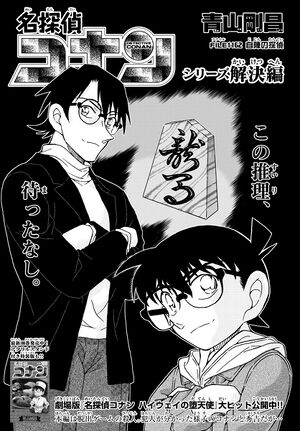
| Latest chapter number = 1162 | |||
| Latest chapter name = The Detective on Our Side | |||
| Latest chapter date = April 22, 2026 | |||
| Next chapter number = 1163 | |||
| Next chapter name = | |||
| Next chapter date = June 24, 2026 | |||
| Manga footnotes = | |||
}}<noinclude> | |||
[[Category:Templates]]</noinclude> | |||
= Template:Char Appearances & Template:Char = | = Template:Char Appearances & Template:Char = | ||
Latest revision as of 14:01, 21 May 2026
helloooo
❮
❯
Latest episode
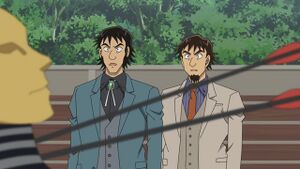
[[ | Episode 1202:
]]Latest Yaiba episode

Latest chapter
Template:Char Appearances & Template:Char
old
| Characters |
|---|
|
{{#chartable:118.52| }} |








new
Differences
difficult to read, too many unnecessary elements, outdated css
<div style="vertical-align: top; height: auto; overflow: auto; clear: left; margin-bottom: 2px;  ">
    <table class="char-appearances-table" style="border: 1px dotted #7BA1EC;">
        <tbody>
            <tr>
                <th style="background: #7BA1EC; color: #ffffff; text-align: left; padding-left: 5px;">Characters</th>
            </tr>
            <tr>
                <td>
                    <table class="char-appearances-table">
                        <tbody>
                            <tr>
                                <td>
                                    <div style="float:left; font-size: 90%;" class="char-image">
                                        <div class="center">
                                            <div class="thumb tnone">
                                                <div class="thumbinner" style="width:102px;">
                                                    <a href="/wiki/Conan_Edogawa" title="Conan Edogawa">
                                                        <img alt="Conan Edogawa"src="/wiki/images/4/4f/Conan_Edogawa.jpg" width="100" height="100"></a>
                                                    <div class="thumbcaption">
                                                        <a href="/wiki/Conan_Edogawa" title="Conan Edogawa">Conan Edogawa</a>
                                                    </div>
                                                </div>
                                            </div>
                                        </div>
                                    </div>
                                </td>
                            </tr>
                        </tbody>
                    </table>
                </td>
            </tr>
        </tbody>
    </table>
</div>
less complicated structure, better readability, 66% shorter, better css, achieves same results
<div style="overflow: auto; margin-bottom: 2px;">
    <div style="border: 1px dotted #7BA1EC; width: max-content;">
        <div style="background: #7BA1EC; color: #ffffff; padding-left: 5px; font-weight:bold;">Characters</div>
        <div style="display:flex; overflow: auto; width: min-content; font-size: 90%; text-align: center;">
            <div style="margin: 5px 3px; background: #6969fa7a; border: 1px solid #c8ccd1; border-radius: .25rem; height: min-content;">
                <a href="/wiki/Conan_Edogawa" title="Conan Edogawa"><img alt="Conan Edogawa" src="/wiki/images/4/4f/Conan_Edogawa.jpg" width="100" height="100"></a><br>
                <a href="/wiki/Conan_Edogawa" title="Conan Edogawa">Conan Edogawa</a>
            </div>
        </div>
    </div>
</div>
Template:Gadgets Appearances & Template:Gadget
old
| Gadgets |
|---|
|
{{#chartable:118.52| }} |




new
Differences
difficult to read, too many unnecessary elements, outdated css
<div style="vertical-align: top; height: auto; overflow: auto; clear: left; margin-bottom: 2px;  ">
    <table class="gadget-appearances-table" style="border: 1px dotted #FF9900;">
        <tbody>
            <tr>
                <th style="background: #FF9900; color: #ffffff; text-align: left; padding-left: 5px;">Gadgets</th>
            </tr>
            <tr>
                <td>
                    <table class="char-appearances-table">
                        <tbody>
                            <tr>
                                <td>
                                    <div style="float:left; font-size: 90%;" class="gadget-image">
                                        <div class="center">
                                            <div class="thumb tnone">
                                                <div class="thumbinner" style="width:102px;">
                                                    <a href="/wiki/Voice-Changing_Bowtie" title="Voice-Changing Bowtie">
                                                        <img alt="Voice-Changing Bowtie" src="/wiki/images/8/86/Voice-Changing_Bowtie.jpg" width="100" height="100">
                                                    </a>
                                                    <div class="thumbcaption">
                                                        <a href="/wiki/Voice-Changing_Bowtie" title="Voice-Changing Bowtie">Voice-Changing Bowtie</a>
                                                    </div>
                                                </div>
                                            </div>
                                        </div>
                                    </div>
                                </td>
                            </tr>
                        </tbody>
                    </table>
                </td>
            </tr>
        </tbody>
    </table>
</div>
less complicated structure, better readability, 66% shorter, better css, achieves same results
<div style="overflow: auto; margin-bottom: 2px;">
    <div style="border: 1px dotted #FF9900; width: max-content;">
        <div style="background: #FF9900; color: #ffffff; padding-left: 5px; font-weight:bold;">Gadgets</div>
        <div syle="display:flex; width: min-content; font-size: 90%; text-align: center;">
            <div style="margin: 5px 3px; border: 1px solid #c8ccd1; border-radius: .25rem; height: min-content;">
                <a href="/wiki/Voice-Changing_Bowtie" title="Voice-Changing Bowtie">
                    <img alt="Voice-Changing Bowtie" src="/wiki/images/8/86/Voice-Changing_Bowtie.jpg" width="100" height="100">
                </a><br>
                <a href="/wiki/Voice-Changing_Bowtie" title="Voice-Changing Bowtie">Voice-Changing Bowtie</a>
            </div>

        </div>
    </div>
</div>
Template:InfoBox Crime
old
| Attempted Murder | |||||||||||||
|
|
| ||||||||||||
new
Attempted Murder

Location: Front of the ship
Victim: Heiji Hattori
Attack types: Thrown overboard
Suspects: Unknown
Heiji was pushed off the boat and into the ocean.
this is a footnote
Differences
too many unnecessary elements, outdated css
<div style="overflow:auto">
    <table class="infobox" style="width: 650px; text-align: left; font-size: 90%; float: none; clear: left; margin-left: 0; margin-right: 1em;" cellpadding="2">
        <tbody>
            <tr>
                <td colspan="2" style="color: #ffffff; text-align:center; vertical-align:middle;   font-size: small; background-color: #DF5829;    ">
                    <b>Attempted Murder</b>
                </td>
            </tr>
            <tr>
                <td width="290" class="nospacing" style="text-align:center; vertical-align:top; padding: 2px 0px 0px 0px;">
                    <p>
                        <a href="/wiki/File:EP174b_Case.jpg" class="image">
                            <img alt="EP174b Case.jpg" src="/wiki/images/thumb/0/09/EP174b_Case.jpg/290px-EP174b_Case.jpg" width="290" height="218" srcset="/wiki/images/thumb/0/09/EP174b_Case.jpg/435px-EP174b_Case.jpg 1.5x, /wiki/images/thumb/0/09/EP174b_Case.jpg/580px-EP174b_Case.jpg 2x">
                        </a>
                    </p>
                </td>
                <td style="padding: 0px;">
                    <table class="infobox crime" width="100%" style="border: 0px; margin: 0px; padding: 0px 0px 0px 2px; font-size: 100%; border-collapse: separate; border-spacing: 1px" cellpadding="0" cellspacing="0">
                        <tbody>
                            <tr>
                                <th width="102" style="border-bottom: 1px dotted #cccccc;">Location: </th>
                                <td style="border-bottom: 1px dotted #cccccc;">Front of the ship</td>
                            </tr>
                        </tbody>
                    </table>
                </td>
            </tr>
        </tbody>
    </table>
</div>
less complicated structure, better readability, 30% shorter, better css, achieves same results
<div style="background: #f8f9fa; border: 1px solid #c8ccd1; border-radius: 5px; max-width: 550px;">
    <div style="background: #DF5829; color: white; text-align: center; font-weight: bold; padding: 5px;">
        Attempted Murder
    </div>
    <div style="overflow: auto; font-size: 90%;">
        <div style="width: 550px; display: flex;">
            <div>
                <a href="/wiki/File:EP174b_Case.jpg" class="image">
                    <img alt="EP174b Case.jpg" src="/wiki/images/thumb/0/09/EP174b_Case.jpg/290px-EP174b_Case.jpg" width="290" height="218" srcset="/wiki/images/thumb/0/09/EP174b_Case.jpg/435px-EP174b_Case.jpg 1.5x, /wiki/images/thumb/0/09/EP174b_Case.jpg/580px-EP174b_Case.jpg 2x">
                </a>
            </div>
            <div style="padding-left: 5px; width: 100%;">
                <div style="padding: 3px 0; border-top: 1px dotted;">
                    <span style="width: 90px; display: inline-block;">
                        <strong>Location:</strong>
                    </span>
                    <span>Front of the ship</span>
                </div>
            </div>
        </div>
    </div>
</div>
Template:InfoBox Heist
old
| Heist | |||||||||||||||
|
|
| ||||||||||||||
new
Heist

Thief:Kaitou Kid
Target:Blue Wonder
Owner:Jirokichi Suzuki
Location:Suzuki Museum
Date:October 12
Advanced Notice:It's my pleasure to accept your challenge. I'll appear at 8:00 PM on October 12th. Expect my first appearance the eve just before. PS. Just like Blue Wonder's name, I'll walk in from the sky.
Golden sculpture holding the blue jewel.
Differences
blabla you alr know the drill same as previous ones